Dashboard Overview
Three Panels. Zero Clutter.
The entire workspace is split into three purpose-built panels that keep everything at your fingertips without overwhelming you.
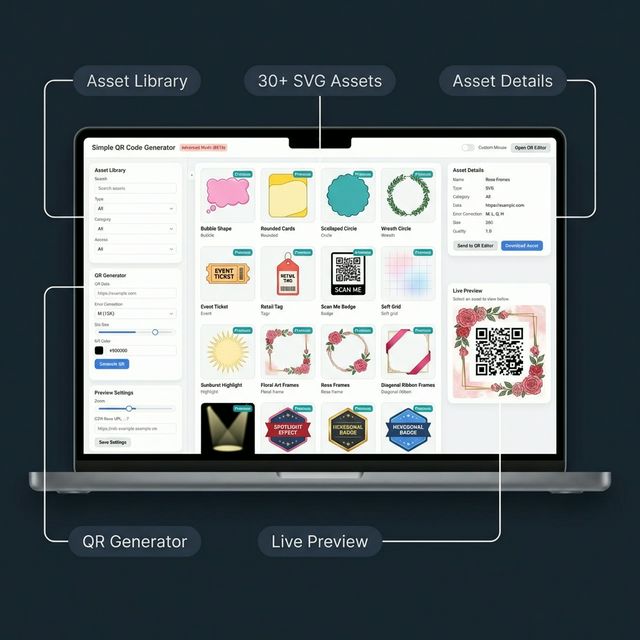
Go beyond the popup. Advanced Mode opens a full-screen workspace with an asset library, multi-device previews, a complete QR generator panel, and more.
Get Started FreeThe entire workspace is split into three purpose-built panels that keep everything at your fingertips without overwhelming you.
The left sidebar is your control centre. Filter assets by type, category, or access level, then scroll down to the built-in QR Generator panel to configure data, error-correction level, size, and colour in one place.
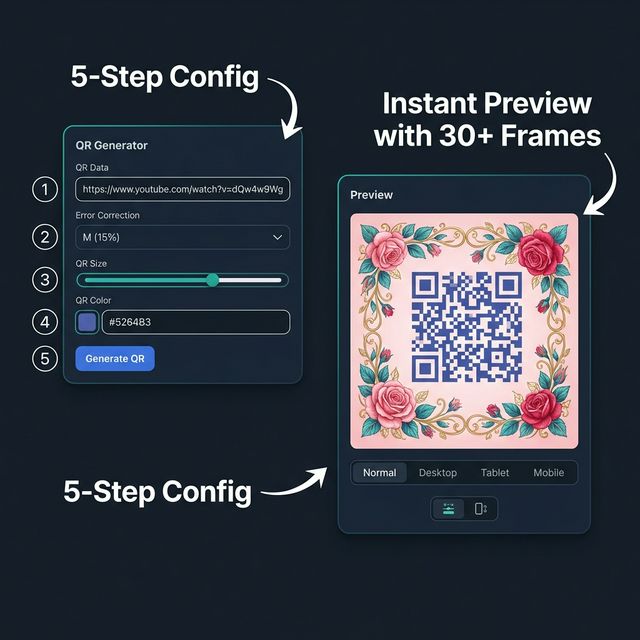
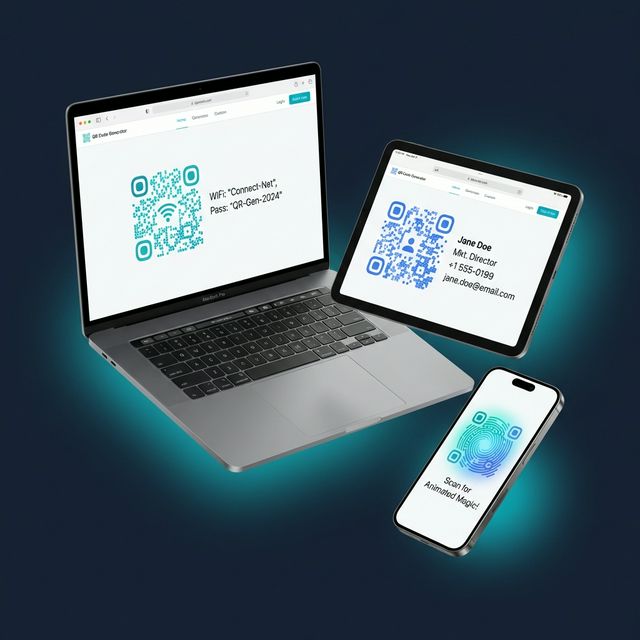
See your QR code or asset exactly as it will appear on every screen size. Switch between Normal, Desktop, Tablet, and Mobile views instantly. Adjust density, orientation, and background colour without leaving the panel.
Select any asset to view its full details on the right. Send it directly to the QR Editor or download it in your format of choice. PNG, JPEG, WebP, or SVG with configurable quality settings from the top toolbar.
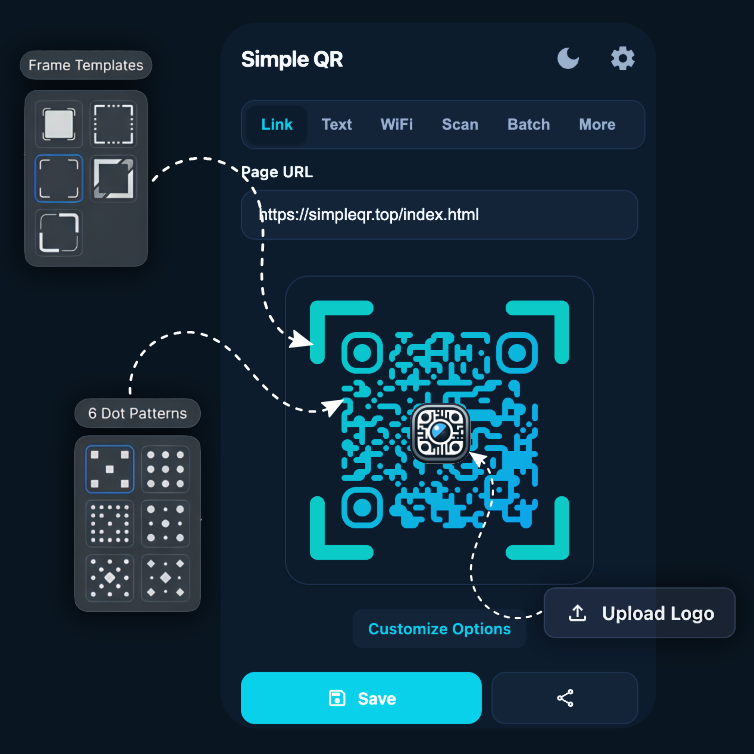
Advanced Mode is growing. Here's what's landing next.
Unlock exclusive asset packs and priority rendering with a licence key coming soon.
Upload your own shapes, icons, and frames with metadata, tags, and premium flags.
Roll back to any previous version of your QR codes and assets. Never lose work.
Install Simple QR and open Advanced Mode from the popup menu to unlock the full workspace.
Install Now — It's Free